
All Mine!
Let’s say you’re bored with the original ships, or you think the plant people are too weak. You can actually replace those ships with your designs.
First off, you’ll need some ship files (not fleet files).
When you’re in the ship editor there’s a button to EXPORT.
Do that and a .lua file will be created on your desktop for that ship.
Once you have a few of those, you’ll want to add them to the game.
The default ships are located in:
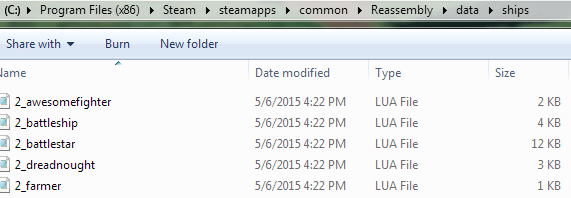
C: Program Files (x86)/Steam/steamapps/common/Reassembly/data
There is a folder there called ships.
Now, within the ships folder you’ll notice that each file has a number at the beginning of the name. That tells you which faction it’s for.
2 = Farmers
3 = Reds
4 = Yeah, that faction 4. With the modular guns.
5 = These are the good plants. It’s probably best not to touch those.
6 = Borg
7 = Flies
8 = This is actually faction 1, the starting faction.
11 = The blue crystalline ships.
12 = The bees. The ones with the funky buildings.
13 = Hostile plants.
14 = Unplayable mystery faction.
15 = Sentinels / Nukers
So, if you’re going to replace a ship with one you created – it needs to be of the same faction.
DO NOT CHANGE ANYTHING IN THIS FOLDER.
Instead you’re going to essentially make your own mod. The mod will replace these default ships with your own ship files.
Goto:
C:/ Users / your name / Saved Games / Reassembly
Create a new folder here, and label it mods.
Inside the mods folder you would make a folder for each mod you want to create. Any files placed within a mod folder will replace the default files when Reassembly loads if the mod is active. So you can make all sorts of changes to the game without messing-up the original game files. Make a new folder called My mod.
Now lets say you made a ship with the starting faction (faction 8).
Select one of the faction 8 files from the ships folder and copy the name. Maybe 8_probe0.lua
Then select your exported .lua file on your desktop. Rename it to 8_probe0.lua.
Make a new folder in your mod folder called ships.
Move your renamed ship file to the ships folder you just created.
Now when you load up your game, your mod will be activated and your new ship design will spawn as one of the default ships.
Keep in mind that you might not see it right away. The game mechanics still determine which ships get spawned. For example, cheaper ships get spawned way more often than expensive ships. If you add in a 8000P ship, the AI will probably never get around to making it. You can also refresh your world to repopulate things. Right-click on your game save and choose Regenerate World from the drop-down menu.
Also, be aware that mods at the top of the Reassembly mod menu take presidence. You might have to reorder if another mod also edits the default ships.
Just Add More Ships
Lets say you don’t want to overwrite the default ships. You can also just add new ones to each faction’s selection. All you would do is add a new ship file to your My mod /ships folder. You can name the file anything you want, but the faction number has to be first, for example: 8_mynewship.lua.
Now when you play, that ship will also be one the game can grab. It will also appear when you do a tournament Test in the ship builder.
Only Add Ships to Test Mode
Maybe you don’t want to replace the default ships, but you do want more ships to fight when you Test ships in the building screen. This is especially useful for the non-starting factions. There are so few designs available that you often get the ‘No Comparable Ships Available’ message.
In the My mod folder you created, make a new folder called extra_ships. Place ship files in this folder. They don’t need any special naming. When you load-up your game again, these ships will be in the pool of available ships to test against. The normal factions will not use these, but be aware that they will be in the pool of designs available to faction 10 – the pink mercenary faction.
To see what can be done with these methods, check out my Vanilla Game More Hard mod.